Now part of David Lloyd Clubs.
Academy Booking Guide
Registering for the Academy activity is easy on our Webshop portal. Follow the steps below.
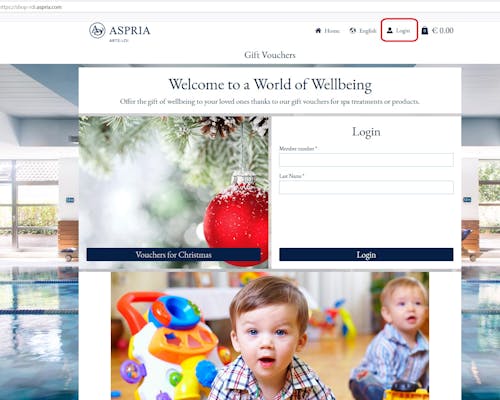
1. Select “Login” to access your member account
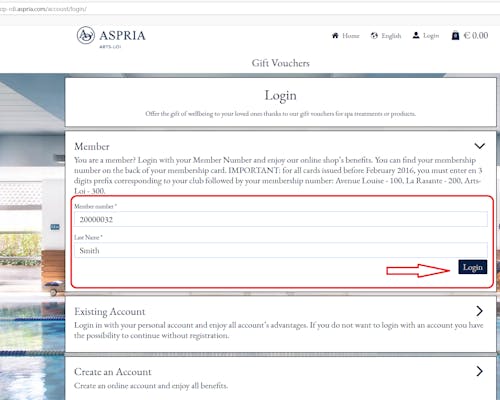
2. Enter your 8-digit membership number and surname, and click “Login”
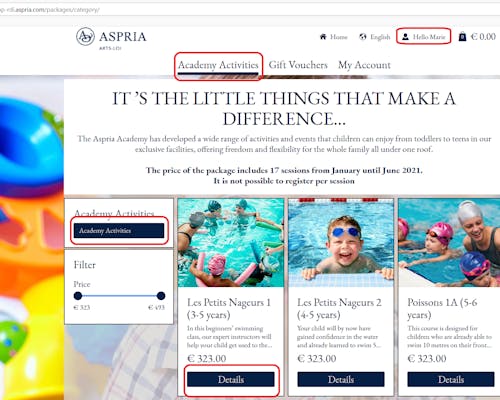
3. Select the package you want from the menu on the left, and click “Details” for the activity you are interested in
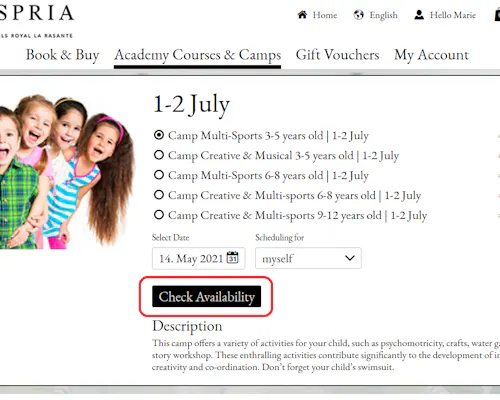
4. Click “Check availability”.
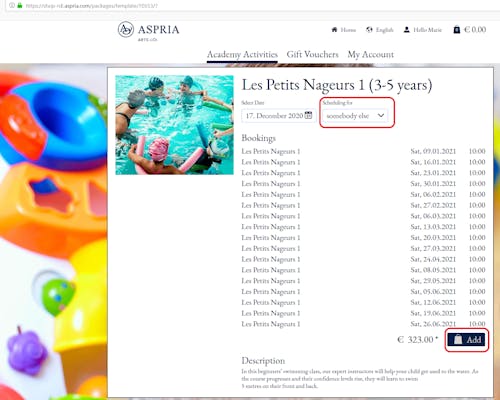
5. Select “Somebody else” in the drop down menu next to the booking date, to make the reservation for your child. Then click “Add”.

6. Click on “Check Out” to proceed with the booking
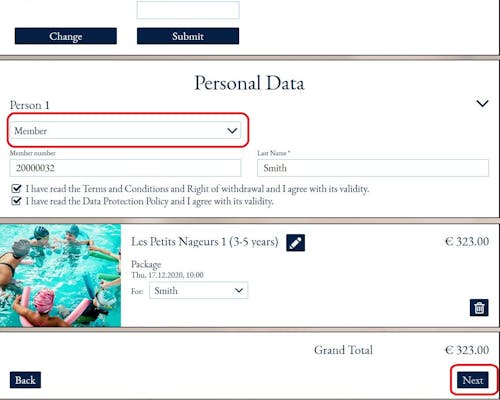
7. Select “Member” in the drop down menu. Tick the buttons to confirm your agreement to our Terms&Conditions and Data Policy. Click “Next” to proceed to payment.
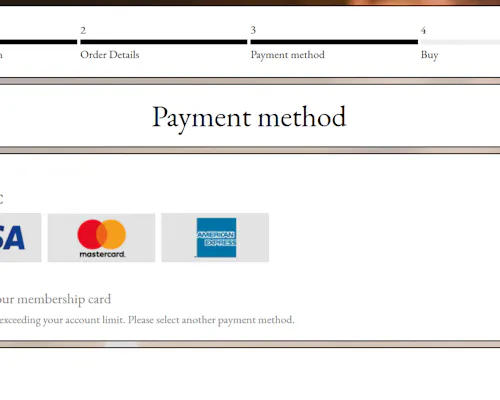
8. Choose your preferred method of payment – either credit card, or credit on your membership card. Click “Next” to confirm.
brussels Arts-Loi
Rue de l'Industrie 26
1040 Brussels
Brussels, Belgium
OPENING TIMES
CLUB
Monday - Friday: 06:30 - 22:30
Saturday & Sunday: 09:00 - 19:00
Belgian public holidays: 09:00 - 19:00
Club closes at 16:00 on 24th & 31st December
Club closed on 25th December
L'INSTITUT - SPA
Monday to Friday: 09:00 – 21:00
Saturday and Sunday: 09:00 – 18:45